
As retail interest in traditional assets grows, friction remains the primary barrier for crypto-native traders looking to diversify. Traditional stock brokerage accounts have historically required physical paperwork, branch visits, and multi-day approval wait times.
We tested GStocks PH, the built-in stock trading feature inside GCash powered by licensed broker AB Capital Securities, Inc. (ABSCI), to evaluate the end-to-end user experience, from registration to subscribing to a live public offering.
Step-by-Step UX: Onboarding & Instant Verification
Existing GCash users with fully verified accounts can complete registration without submitting additional identity documents:
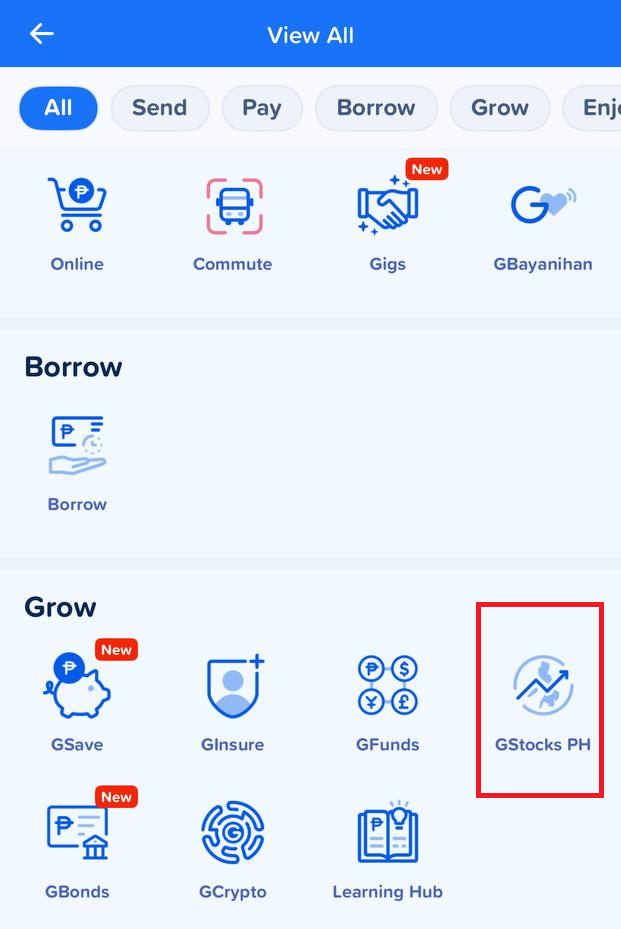
1. Access GStocks PH: Open GCash, head to the Grow tab (or search under Invest), and select GStocks PH:
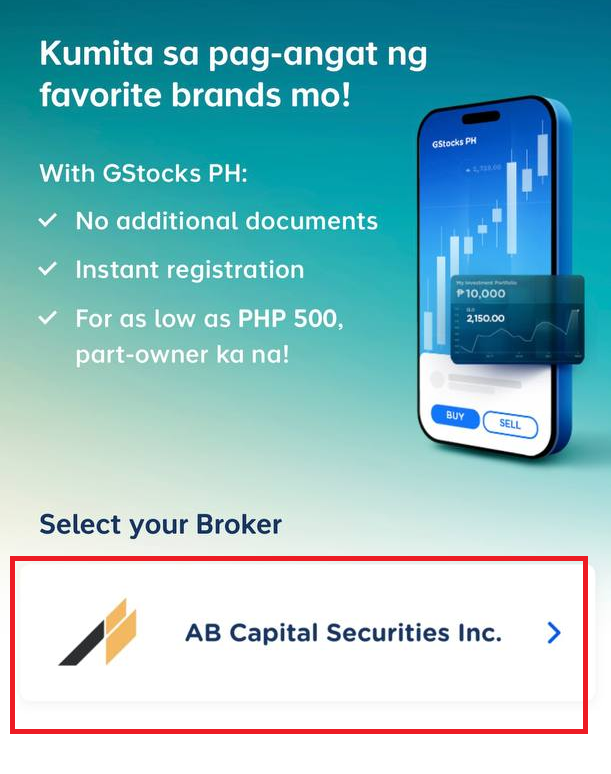
2. Select Broker: Choose AB Capital Securities, Inc. as your partner broker:
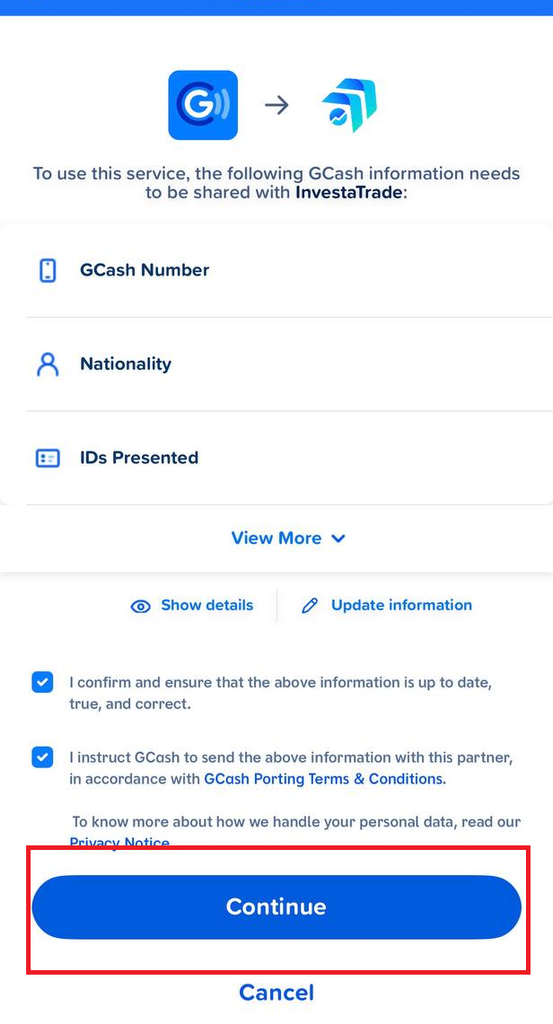
3. Data Porting & Verification: Instead of filling out lengthy forms, GCash automatically ports your verified personal data (GCash Number, Name, Address, Email, Birthday, Civil Status, and IDs) to InvestaTrade/AB Capital:
4. Agree to Terms: Review and accept the GCash Porting Terms and GStocks PH Client Risk Agreement.
5. Instant Account Activation: Your Basic Account (with a ₱50,000 transaction limit) activates instantly upon confirmation:
Funding Your GStocks Trading Wallet
Unlike traditional brokerage funding that relies on external bank transfers or manual deposit verification, funding your GStocks wallet happens directly inside the app:
- Instant Wallet Cash-In: Move funds directly from your main GCash e-wallet into your ABSCI Investment Wallet.
- Zero Transfer Fees: Cash-in transfers are immediate and free of transaction fees.
Case Study: Subscribing to the Arthaland (ALCPH) Share Offering
To evaluate the platform’s share offering feature, we checked the live Follow-On Offering (FOO) for Arthaland Corporation (PSE: ALCPH) Series H Preferred Shares (offered at ₱500.00/share with dividend yields up to 7.8% per annum).
Real-Time Subscription Meter in Action
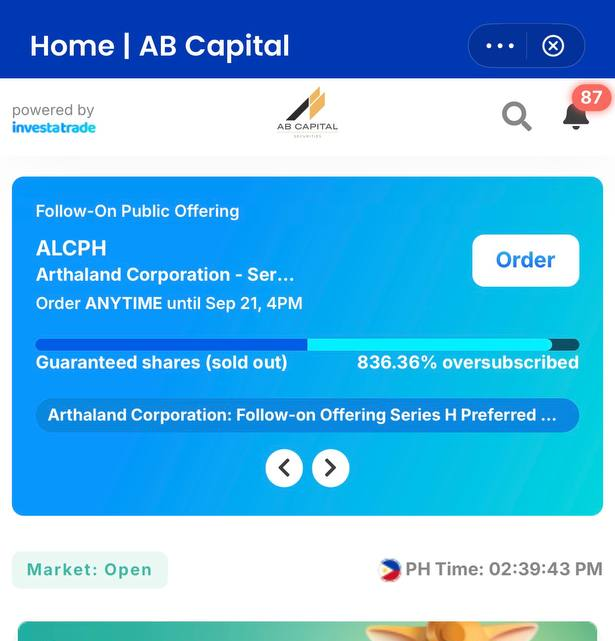
The platform features a live Subscription Meter that provides real-time allocation visibility:
- Guaranteed vs. Queue Status: When broker allocations are open, orders receive instant guaranteed allocation.
- Oversubscription Dynamics: During our live test, the Arthaland Series H guaranteed share allocation pool was officially marked “Sold Out” at 836.36% oversubscribed.
- Non-Guaranteed Orders: Once the guaranteed pool sells out, the interface automatically updates to “No Guaranteed Allocation”. Subscriptions placed during this period enter an oversubscription queue, with final share allocations resolved after the offer period ends.
Order Execution Mechanics
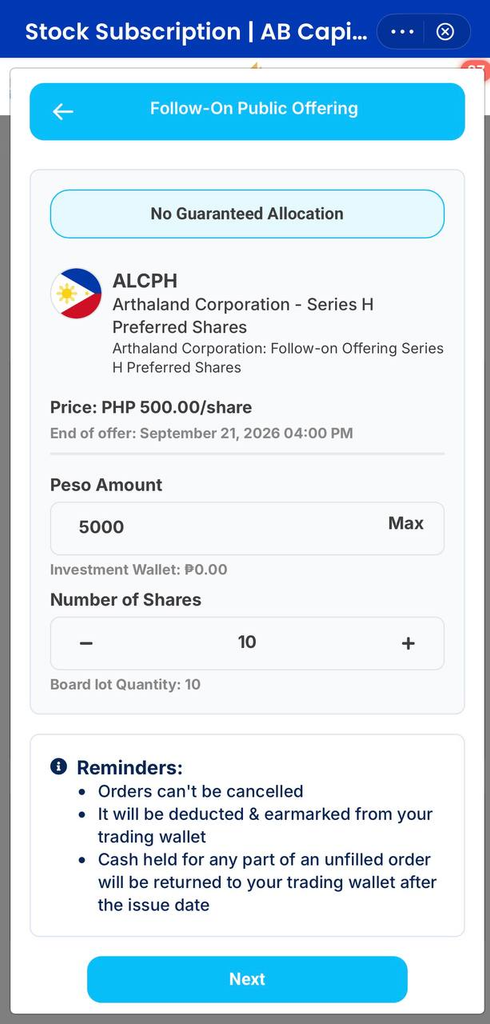
For investors placing orders during an active offer:
- Board Lot Size: Shares are purchased in board lots of 10 shares (a minimum entry of ₱5,000.00 for the ALCPH ₱500/share offer).
- Earmarked Capital: Order amounts are immediately deducted and earmarked from your trading wallet.
- Order Cancellation Policy: Orders placed for public offerings cannot be cancelled.
- Refund of Unfilled Shares: If an order is not fully allocated due to oversubscription, unallocated funds are automatically returned to your trading wallet after the issue date.
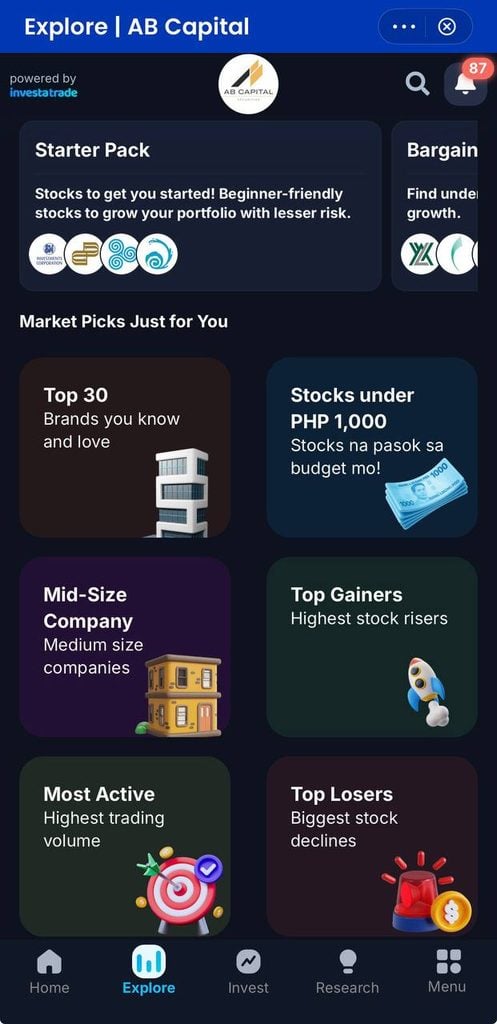
Beyond public offerings, GStocks PH and GCash overall has integrated and is offering analytical tools for navigating over 280+ PSE-listed companies.
- Starter Pack: Curated thematic lists (such as Top 30, Stocks under ₱1,000, and Dividend Payers) to simplify sector discovery.
- Pera Coach: GCash’s built-in AI financial coach for learning stock market concepts and terminology.
- GInvest Community: Peer-led educational discussions on Facebook for ongoing market updates.
This article is published on BitPinas: We Tried GStocks PH: How to Buy PSE Stocks and Public Offerings via GCash
What else is happening in Crypto Philippines and beyond:
